




Game info
Physics sandbox, Simulation
Explore Melon Sandbox ragdoll physics, object controls, building challenges, vehicles, mods and original Melon Playground product information.
Melon Sandbox: give every experiment a purpose
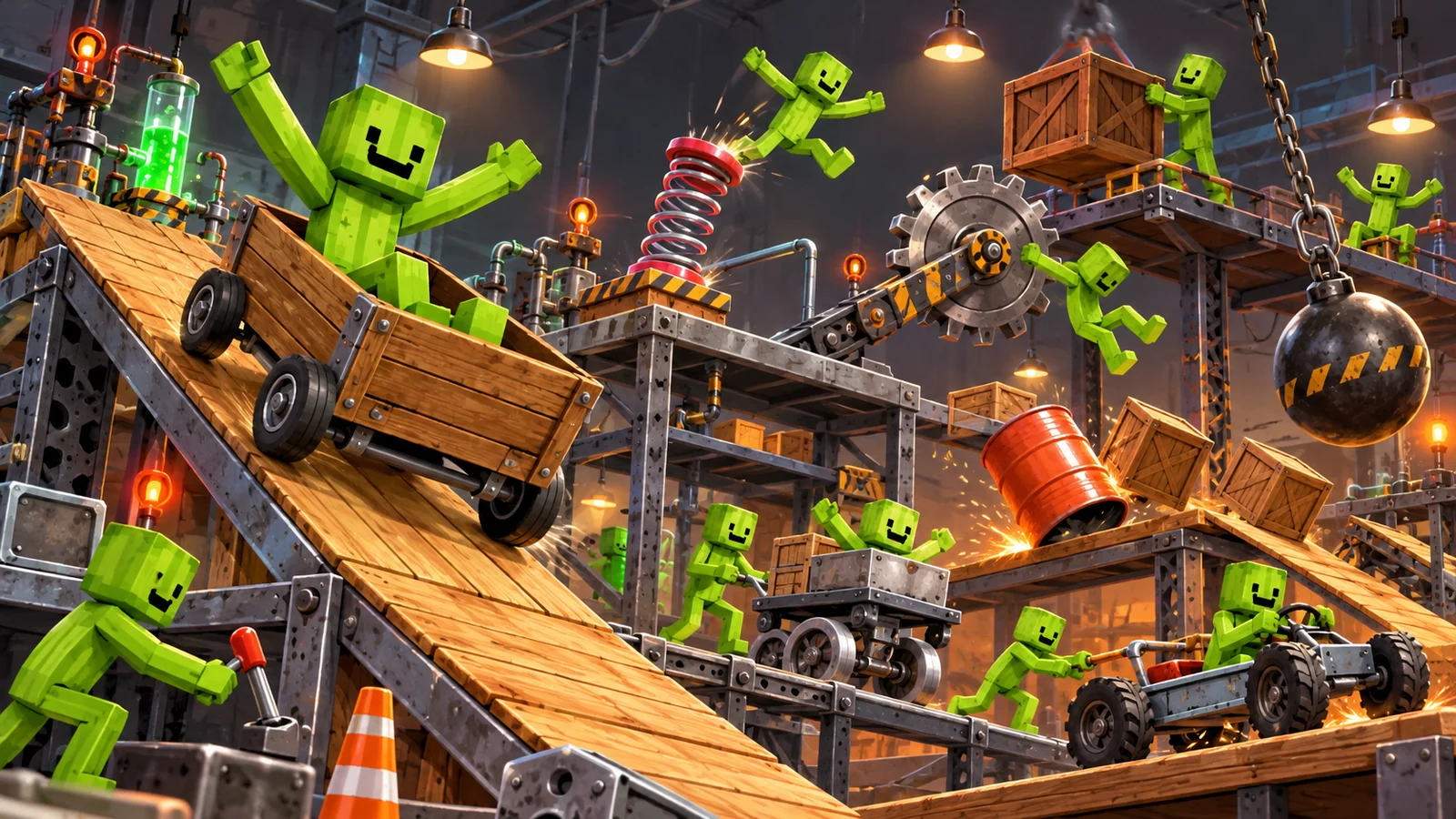
Melon Sandbox is a physics playground in which the scene you build matters as much as the objects you choose. A ramp, a loose crate and a ragdoll can already create an interesting chain of motion. The appeal is finding out how an arrangement behaves, then changing the part that caused the result. Begin with a small physical question, such as whether a crate stops a moving object or how a ragdoll lands on a low platform.
The official Melon Sandbox website identifies the product formerly called Melon Playground. Ragdolls, props, vehicles and physical interactions give a construction different possible jobs: a part can support, redirect, catch or trigger another piece. Choose an observable goal and a manageable set of objects before building a large contraption. A clear starting arrangement makes the result easier to repeat and improve.
Gameplay Overview
A physics sandbox does not need a mission marker to provide a goal. You choose the starting positions, allow the simulation to run and observe the resulting movement. Height, contact, balance and the path between objects all affect what happens. A stable support can turn an unpredictable pile into a repeatable arrangement, while an object released slightly off-centre can start a very different collision.

Build a simple cause-and-effect sequence before creating a large scene. Put a movable object above a clear landing area, add one obstacle and decide what you expect to happen. After the movement, compare the result with that expectation. If the obstacle moved first or the object missed it entirely, you have a specific part of the arrangement to improve rather than a screen full of unrelated motion.
How to Play Your First Scene
Choose an empty area and place a small number of objects from the available categories. Begin with a stable surface, a movable object and a clear space into which it can fall or roll. Keep the pieces separated while arranging them so an accidental overlap does not start the motion before you are ready. Pause the simulation while building the starting position, then release it when the arrangement is ready.
For a first challenge, make an object land inside a space between two markers. Release it from a low height and inspect where it comes to rest. Then change the starting position slightly and try again. You are working on a measurable result—where the object stops—rather than adding more items every time the scene behaves unexpectedly. This is a useful way to learn a physics playground without needing an elaborate contraption.
Controls and Interface Basics
Use the game's selection, movement and simulation controls. On desktop, mouse selection and dragging are common for placing an item; supported touch controls use tap and drag actions. Select one object at a time when working near a crowded area. A visible outline or movement response can help you keep track of which item is active before you reposition it.
Separate building actions from simulation actions. Moving a piece into place, releasing it and pausing the scene are different steps. If an item begins moving before you intended, restore a clear starting arrangement rather than dragging several active objects at once. Learn the reset, pause and object-removal controls before building something that would take time to reconstruct.
Key Features: Freedom, Objects and Physical Reactions
The original Melon Sandbox uses ragdoll physics, objects, vehicles and destructive interactions as part of its open-ended simulation. The official Google Play description identifies the product and its current feature information. The important creative choice is how the objects interact: a vehicle, barrier or movable platform becomes more interesting when it has a role in the scene rather than simply occupying space.
You can focus on relatively simple mechanical challenges: balance a stack, create a controlled fall or design a route that ends in a particular area. Pick a result that lets you compare attempts. An arrangement with three purposeful objects can reveal more about the simulation than a large pile in which every piece moves at once. Add complexity only when you can explain what the previous setup did.
Build a Reliable Starting Arrangement
Give the scene a stable base before adding a moving part. Check the support's position and the space beneath the object you intend to release. A small gap or an uneven contact can matter more than a large decorative change. If the base shifts at the start of every attempt, the rest of the experiment will be difficult to compare.
Keep a record of the starting arrangement you want to repeat. A screenshot provides a visual record of the relative positions alongside any editable scene save you keep. Place important objects against clear visual references, such as the edge of a platform, rather than judging every position by memory. This makes the next adjustment deliberate and keeps an accidental movement from erasing the baseline.
Pro Tips: Change One Thing at a Time
Suppose a crate misses the intended landing area. Change the release position before also changing its height and the shape of the target. If the result improves, you know which adjustment helped. If you change all three together, you may reach the target without learning how to repeat the result. A small set of controlled attempts gives the sandbox a satisfying problem-solving rhythm.
Use simple comparisons: a lower and higher release, a central and off-centre placement, or a clear route and one with a barrier. Write the question in terms of what the scene can show. “Does this support remain in place?” is easier to answer than “Is this the perfect machine?” Each useful answer gives you a more reliable part to add to a larger construction.
Read Motion before Adding More Complexity
Follow the first moving object and its first contact. A later collapse may begin with a small shift at the base, not with the final collision that draws your attention. Pause at a useful moment to inspect which pieces touch. Look for the route that transfers movement from one object to the next.
Compare the intended route with the actual route. If an object passes over a barrier, you need a different contact arrangement, not simply more barriers scattered across the scene. If it catches on an edge, clear that edge before changing the entire structure. Understanding the path of motion makes new objects useful because you can give each one a specific mechanical job.
Creative Challenges to Try
Choose a challenge that gives the available ragdolls, props and vehicles a distinct job:
- Ragdoll landing: place a ragdoll over a low platform and compare two release positions. Look at the first contact rather than only the final pose.
- Vehicle stop: set a clear stopping area for a vehicle and compare how an unobstructed run differs from one with a crate barrier.
- Stack stability: build a short tower of props and remove the support that seems least important. Does the tower remain standing or begin to lean?
- Chain reaction: make one movable object contact a second, which should move into a clear target area.
Keep the goal visible during construction. If a vehicle misses the crate or a falling prop never touches the next object, fix that route before adding another stage. A chain with a recognisable start and finish is easier to improve than a screen in which every piece already moves independently. These challenges use the simulation's different objects for different questions rather than treating every new item as another decoration.
Advanced Tips: Diagnose the First Unexpected Event
When an arrangement fails, identify the earliest point at which it differs from the plan. A tower ending on the floor is the final result; the useful event might be a support sliding, an object spawning inside another or a collision occurring before the intended release. Correcting that first event can improve the whole scene without changing every later stage.
Rebuild the smallest version that reproduces the problem. Remove pieces that do not affect the first unexpected contact and run the simpler setup. If the problem remains, you have isolated a useful comparison. If it disappears, restore the removed pieces gradually until the interaction returns. This method is particularly effective for a physics sandbox because one crowded contact can change a much larger sequence.
Keep Large Scenes Manageable
Build a complex scene in working sections. Complete the support, test the moving part, then connect the next interaction. Keep spare objects away from the active route so they do not become accidental obstacles. This also makes it easier to select and adjust the piece you actually want when several items occupy a small part of the screen.
Watch how the device responds as the scene grows. More active objects and simultaneous interactions can make a simulation harder to control or observe. Reduce unnecessary moving parts before assuming that a specific tool has stopped working. A smaller, readable scene often gives you a better result and a clearer way to continue than adding another layer to an already crowded construction.
Editions, Mods and Saved Creations
Check a modification's supported game version before expecting it to work with a particular scene or installation. A creation may depend on objects or features that are not present in another version. Use the official Melon Sandbox App Store listing when looking for the supported Apple product, and use the developer's own information when checking current release details.
Keep a copy or visual reference of an important creation before changing an installation or trying a modification. An image records the arrangement, while an editable save may depend on particular objects and features. If a scene behaves differently after an update, compare the first changed interaction before rebuilding everything. Avoid entering account details or installing files merely because an unrelated page promises unlimited items or instant access to content.
Similar Games
Choose a related physics game according to the part of the experiment you enjoy. Ragdoll playgrounds focus on bodies, props and collision responses; destruction games may concentrate on breaking a target; a planet simulation changes the scale and the tools involved. Similar movement on screen does not necessarily mean identical construction controls or physical behaviour.
Within Melon Sandbox, use a clear challenge to give the next session a different focus. Build a stable stack, a controlled landing or a short chain reaction. That lets you compare constructions by what they achieve and gives each new object a mechanical purpose. It is a more useful source of variety than adding many items to a scene without a result you can recognise.
Browser games in this collection
- Sandbox - Destroy the Ragdoll — A ragdoll-themed sandbox clicker with attacks, menu selections and unlock progression. Its content and age suitability need their own review.
- Human Playground: Ragdoll Battle — A ragdoll-focused browser playground with a battle theme. The close connection to Melon Sandbox is the use of bodies, objects and physical reactions rather than driving or racing.
- Human Playground: Ragdoll Show — Build or trigger a physical scene whose performers are ragdolls. The Show title makes observation part of the attraction: after an input, watch the limbs, balance and collisions rather than immediately adding another object.
- No Pain No Gain: Ragdoll Sandbox — A ragdoll sandbox for experimenting with physical outcomes. Its name suggests exaggerated slapstick, but the useful play pattern is still a clear setup followed by an observable reaction.
- People Playground! Ragdoll Arena! — A browser ragdoll-arena title published under this exact name by the source portal. The label is not evidence that it is the commercial Steam game People Playground.
- Ragdoll Stories! Create your own Playground Feed! — A ragdoll title framed as a stream of short playground stories. That structure makes a small, readable physical event more suitable than a huge machine that takes a long time to unfold.
History and Updates
The official website identifies Melon Sandbox as the product formerly called Melon Playground. That explains why both names appear in player searches and older material. For current releases and announcements, use the official Melon Sandbox news page, and check the relevant game version when following instructions about a new item or event.
The developer also provides original product information through DUCKY's official Melon Sandbox site. Keep update-dependent claims separate from the permanent appeal of physics play: arranging objects, releasing motion and improving a result. A small set of purposeful objects can produce an enjoyable scene, while a larger creation benefits from a stable starting arrangement and a clear plan.
Build Something Small, Then Improve It
Begin Melon Sandbox with a clear experiment: a stable stack, a controlled landing or a short chain reaction. Set the starting positions, release the motion and identify the first event worth changing. Keep the improvement specific so you can repeat it rather than relying on a lucky collision.
Once a small arrangement works, give the next object a purpose. It might support, redirect, catch or trigger another piece. Building this way turns a session into a sequence of understandable discoveries, with a finished scene you can return to and develop later. The most useful next addition is the one that contributes to the result you wanted.
Frequently asked questions
What is Melon Sandbox?
Melon Sandbox is a physics playground for arranging ragdolls, props and other objects and observing their interactions. Give a construction a clear physical goal so its result can be compared and improved.
Are Melon Sandbox and Melon Playground related names?
The official website identifies Melon Sandbox as the product formerly called Melon Playground. Older material may still use the earlier name.
What is an easy first experiment?
Build a clear landing area, place a movable object above it and compare where it stops after release. Change one starting position at a time so you can explain what improved the result.
How should I control a crowded scene?
Select one object at a time, separate overlapping pieces and keep spare props away from the active route. Use pause while arranging a complicated construction, then release the simulation when the starting position is ready.
Why does a construction collapse differently each time?
Small changes in starting position or early contact can alter later motion. Inspect the support and the first unexpected interaction before replacing every part of the scene.
What challenges can I try?
Try a ragdoll landing, a stable prop stack, a vehicle stopping area or a two-stage chain reaction using the objects available in your game version. Give the scene a visible goal so attempts can be compared.
What should I check before using mods or changing an installation?
Check the supported game version and keep a copy or reference of creations you care about. An editable scene can depend on particular objects and features, so it may need more than a screenshot to be preserved.
Where should I check for official updates and downloads?
Use the Melon Sandbox official website, its news page and the linked App Store or Google Play listings. Do not treat an unrelated promise of unlimited items as an official download or account service.

Good game? Tell us.0
Share a tip, celebrate a high score, or tell us what you think. Keep it friendly.